International Baccalaureate · PYP 1
Data Handling
I
Collecting Data
Which pet is the most popular in the class? Which ice cream flavour do most students prefer? Questions like these, about the world around us, are answered with statistics.
We ask a question, we collect the answers (our data), we put them in order to answer it.
We ask a question, we collect the answers (our data), we put them in order to answer it.
Definition — Statistics
Statistics is when we ask questions, collect answers (our data, the pieces of information we get), and then organise this data to discover interesting things and tell a story about it. Data can also come from observing, counting, or measuring, not only from asking questions. Definition — Sorting
To sort objects is to put together the objects that are alike in one way: the same colour, the same size or the same shape. The way we choose is the rule of the sort. Each group gets a label: a small card that shows what its objects share. 
Method — Our Plan for Collecting Data
Collecting data requires a clear plan. Here is one way to do it. - Ask a Clear Question: Start with something you want to know. For example: “What is your favourite pet?” Everyone should understand the question and be able to answer it.
- Gather Your Answers: Ask your classmates the same question, one by one, so that everyone answers once.
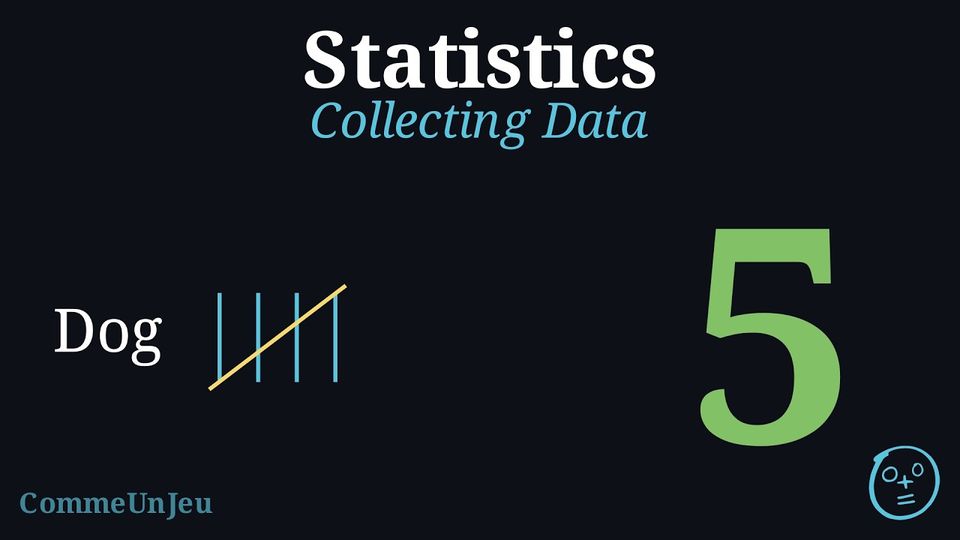
- Record the Data with Tally Marks: A tally mark is a quick way to write down “one”. For every answer, you draw one line. When you get to five, you draw a line across the first four. This makes it easy to count and check your total later.
| Pet | Tally Marks | Total |
| Dog |  | 5 |
| Cat |  | 4 |
| Fish |  | 2 |
Skills to practice
- Counting the Tally Marks
- Reading Tally Charts
- Drawing the Tally Marks
II
Picture Graphs
From the Table to the Pictures
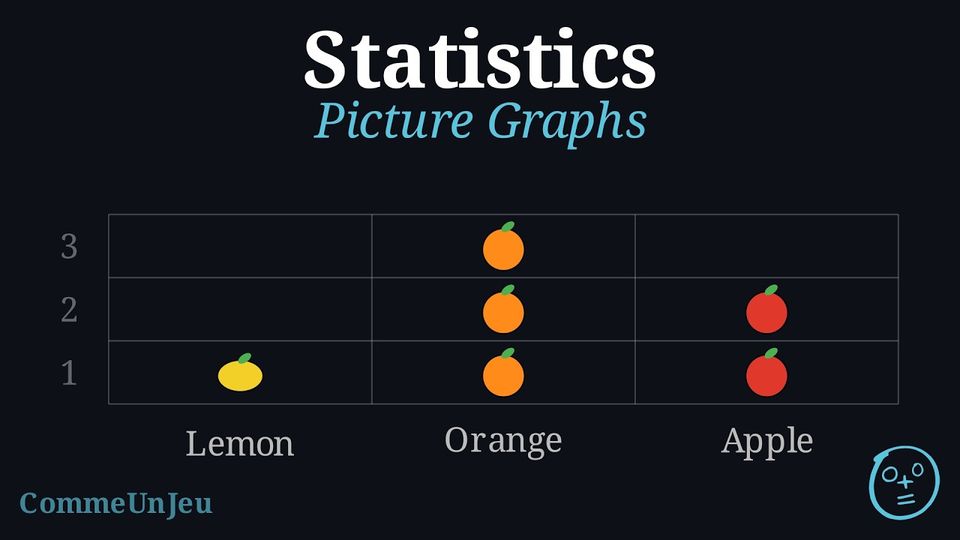
A tally chart says how many. But a table of marks is not easy to compare at a glance. So we draw it: one picture for each answer, one above the other, in a column for each category. The tallest column is the one that was chosen the most — we can see it without counting.
\(\qquad\longrightarrow\qquad\) 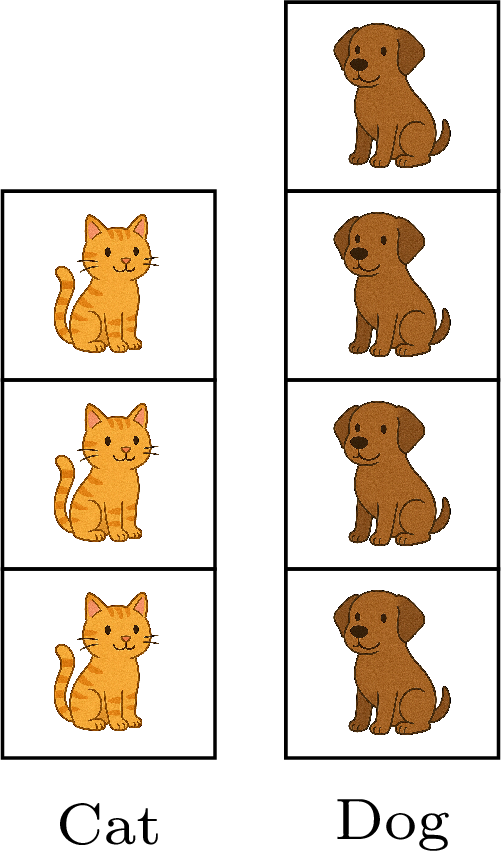
| Cat |  |
| Dog | |
Definition — Picture Graph
A picture graph (or pictograph) is a chart that uses pictures to show how many of something there are. Each picture stands for one object. It allows the data to be seen and counted at a glance. Example
We sort the fruits in the box and represent them with a picture graph. 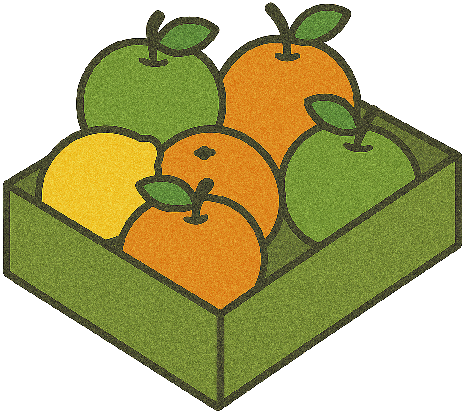
| 3 |  | ||
| 2 | |  | |
| 1 |  | | |
| Lemon | Orange | Apple |
Our Fruit Picture Graph
- How many lemons? There is one picture. There is 1 lemon.
- How many oranges? We count: one, two, three. There are 3 oranges.
- How many apples are there? We count the pictures: one, two. There are 2 apples.
Skills to practice
- Representing Data
- Reading Picture Graphs
III
Going further
Skills to practice
- Reading and Completing Picture Graphs
- Quiz
Jump to section